




FamilyAlbum - Photo Sharing review
 Analysis by GetAllApps
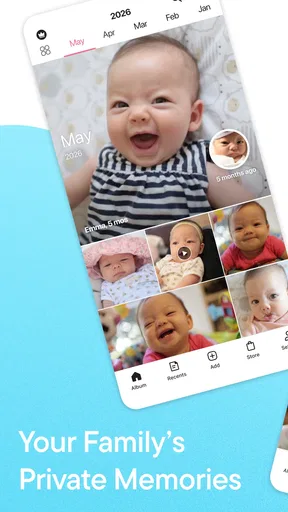
I like the idea behind FamilyAlbum because it treats family photos as something to share with a chosen circle, rather than as another stream of posts competing for attention. It is a parenting app from MIXI, Inc., built around collecting and revisiting pictures and videos with family. In my view, its appeal is less about taking better photos and more about giving everyday snapshots a place where relatives can follow along without relying on a busy group chat.
What the free starting point is worth
FamilyAlbum is free to download, with optional in-app purchases priced from $0.99 to $109.00 per item. That makes trying the app a low-commitment decision, but it does not mean every possible use or upgrade is free. I’d begin with the free experience and decide whether it fits the family’s habits before spending anything. The listed purchase range is broad, so check the purchase details in the app store rather than assuming a particular item is necessary.
The app has a 4.8 average from around 366,000 ratings, and it has passed 10 million installs. Those figures suggest it has found a substantial audience, though they cannot tell you whether it suits your family’s privacy preferences or whether relatives will actually use it. It is rated Teen, so parents should review the app’s current store information and decide whether that age guidance fits the people who will access it.
For me, the practical value of a free starting point is that the family can test a routine, not just browse a feature list. Would one person remember to add photos? Would grandparents open a separate album? Would parents be comfortable keeping family moments in a dedicated service? Those answers matter more than a headline rating. Optional purchases may be worthwhile for some households, but I would not treat them as essential without first understanding what they add.
Why a family album can beat a chat thread
My strongest reason to consider FamilyAlbum is organization. A family group chat is convenient for quick updates, but photos soon sit between plans, questions, and unrelated messages. That makes an older moment awkward to find. A dedicated family space gives the pictures and videos a clearer purpose: people can return to them as memories rather than search through a conversation.
That difference is especially useful when several relatives want to keep up with a child’s everyday life. Instead of sending the same photo to different chats, a parent can use one shared destination for the intended family audience. It also creates a more coherent record than scattering images across messaging apps, camera rolls, and social feeds. The benefit depends on the family agreeing to use it consistently; a well-organized place with few contributions will not magically become a complete archive.
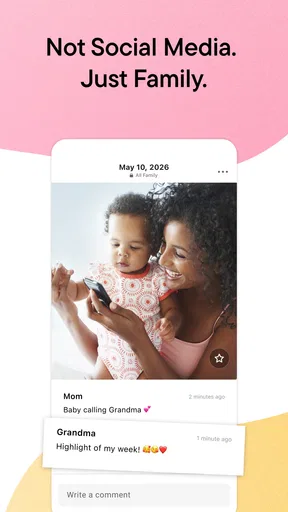
There is also a meaningful distinction from mainstream social networks. Those services are designed for broad sharing and general interaction, while this app’s purpose is specifically family memories. If I want to post a picture for friends or the public, a social platform is the more natural choice. If I want a contained place for relatives to follow a child’s growth, a family-focused album is a better fit in principle. That narrower purpose can reduce the feeling that every moment needs a public audience.
One useful habit is to upload a small selection after a family event rather than trying to transfer every image at once. For example, after a weekend visit, I’d choose a few photos that tell the story, add them to the shared space, and let relatives browse when convenient. This keeps the collection more approachable and helps avoid turning the app into a second, unmanaged camera roll. It is a workflow suggestion, not a promise that the app automatically sorts or edits content for you.
A realistic routine for parents and relatives
Imagine a parent taking snapshots during a busy week: a first attempt at helping in the kitchen, a walk with a grandparent, and a quiet moment at home. In a group chat, these can arrive at odd hours and quickly disappear beneath newer messages. In a family album, the parent can put the selected images in one place, while relatives can catch up when they have time. That asynchronous rhythm is a real advantage when family members live apart or keep different schedules.
I would also use the shared space deliberately rather than treating it as a live feed that demands constant updates. A simple routine—adding a few meaningful photos at the end of the week, for instance—can make participation manageable. This is particularly helpful for parents who already feel they are documenting everything. The app should make sharing easier, not create pressure to turn ordinary family life into a steady stream of content.
Another practical consideration is who should be invited. Before uploading, I’d agree with the other parent or caregivers about which relatives belong in the circle and what kinds of images are appropriate to share. That conversation is more useful than assuming that “family” means everyone should automatically see everything. A private-minded tool still depends on the people using it to make thoughtful choices.
Privacy is a workflow choice, not a reason to stop thinking
The private-family framing is appealing, but I would not take it to mean that every photo is risk-free or that careful sharing no longer matters. Pictures of children can reveal personal details through backgrounds, routines, or who is present. I’d avoid posting anything I would not want circulated beyond the intended group, and I’d be selective about images that show sensitive information or locations.
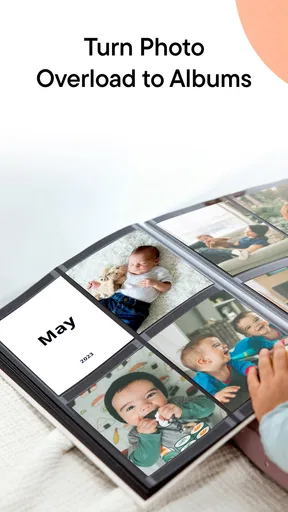
It is also worth deciding how the family wants to handle older material. A growing collection can become harder to navigate if nobody has a shared idea of what belongs there. Choosing representative moments, keeping uploads purposeful, and agreeing on whether caregivers can contribute are simple ways to make the album useful over time. These habits are especially valuable when the app is serving as a long-running family record rather than a place for occasional event photos.
Families should also consider the comfort level of every contributor. Some relatives may prefer a messaging app they already know, while others may not want another account or notification stream. I would invite people gradually, explain what the space is for, and avoid making participation feel compulsory. A dedicated album works best when it is a convenient option, not another family obligation.
Where the experience may fall short
The main tradeoff is that a separate album asks people to change their habits. Everyone may already use a preferred chat app, and switching between tools can feel like extra work. If relatives rarely open new apps, the photos may receive less attention than they would in a familiar conversation. For a family that shares only a few pictures now and then, a group chat may be simpler and perfectly adequate.
There is a second tradeoff: keeping a private family collection requires trust and sensible boundaries. The app’s central purpose is sharing, so it is not the right answer for someone who wants to keep all photos solely on a personal device or avoid cloud-based services altogether. If that is your priority, a local photo library or another approach you already control may be a better match. I would read the current privacy and account details before making a large collection part of any service.
Finally, the optional purchase range means users should distinguish the basic opportunity to try the app from any paid extras they may encounter. A high price at the upper end does not, by itself, tell me whether a purchase is good value; that depends on the specific item and the family’s needs. I would only pay after checking what the purchase provides and whether it solves a problem I actually have. There is no reason to spend just because an upgrade is offered.
Who is most likely to get value
I’d recommend trying it to parents who want a dedicated place to share a child’s photos and videos with a defined family circle, especially when relatives are spread across different households. It may also suit caregivers who want a shared destination rather than repeatedly forwarding the same images. The app is most compelling when people genuinely want to revisit family moments, not merely receive an occasional update.
It is less suitable for someone looking for a general photo editor, a public social network, or a replacement for every family conversation. It is also a poor fit if relatives will not use a separate service, or if the household would rather avoid storing family photos in an online sharing app. In those cases, an existing messaging group or a personal photo library may be more practical, even if it offers less focused organization.
As a parenting app, FamilyAlbum has a clear job rather than trying to cover every kind of family communication. MIXI, Inc. released it on April 14, 2015, and the service’s long-running focus is reflected in that specific identity: a place centered on family pictures and videos. I find that focus more persuasive than a long list of unrelated functions would be, provided the family actually wants a dedicated memory space.
My verdict: try the free option, then decide
I see FamilyAlbum as a worthwhile app to test if your current method for sharing family photos has become messy. Its strongest value is the combination of a focused family setting and a clearer home for moments that would otherwise vanish into chat history. Start with a small, representative set of pictures, invite only the relatives who should see them, and notice whether the group returns to the album without being repeatedly prompted.
If that routine feels natural, the app may earn a useful place in your family’s life. If it adds friction, brings little benefit over your existing chat, or conflicts with your comfort around online photo sharing, you can skip it without losing a necessary tool. My recommendation is therefore measured: it is a sensible free starting point for families who want a shared record, but the best choice depends on participation, privacy preferences, and whether the optional purchases offer something your household truly needs.
Pros and cons
Pros
- Private family albums make sharing photos feel more personal.
- Automatic photo organization helps keep memories easy to browse.
- Invited relatives can view updates without joining public social networks.
- Video sharing adds variety to the family timeline.
- A simple interface works well for less tech-savvy relatives.
Cons
- Some useful features require a paid subscription.
- Family members need an invitation to access a shared album.
- Large uploads may take time on slower connections.
- The app may use significant storage as albums grow.
- Notifications can become frequent when many relatives post.


